


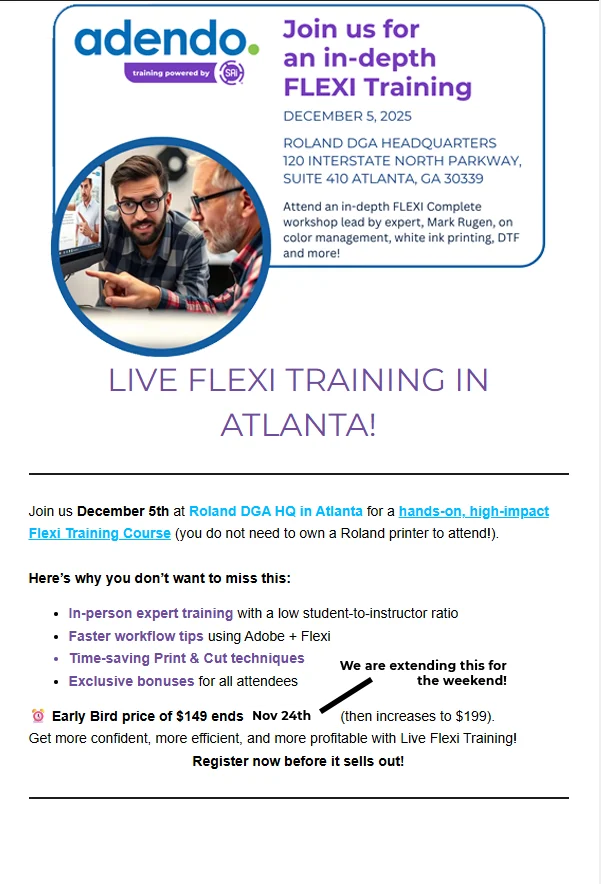
If you want training on Flexi from the world's expert, Mark Rugen, then join our Atlanta Class on Dec 5th. This is a small venue so lots more personal assistance. Details at https://adendo.com/product/flexiatlanta2025/
"I am so excited to do this seminar! Not only will I amaze you with tips and tricks I have learned over the last 35 years, I will also share some secret stuff as well as give you some amazing bonus gifts" Come join us!" - Mark "Dr. Flexi" Rugen
I found a really good blog post by: DTF Print Co. This is NOT an endorsement of their company, rather it is posted here for education purposes only.
I want to post a part of that blog here for your consideration along with some of my thoughts on portions of it. I've added links to parts of it so you can use the information quickly. Check out SAi's new Flexi(r) DTF Pro software.
Top Platforms to Find Free DTF Designs
When we say “free” DTF designs, we don’t mean grainy clipart. We’re talking about professionally crafted, print-ready files—often the same quality you’d find in premium marketplaces.
Freepik: The Design Powerhouse
With a library of over 10 million assets, Freepik is a first-stop for DTF designers.
- Access to thousands of vector graphics
- Formats include AI, SVG, PNG, PSD—perfect for editing and layering
- Curated collections: holidays, retro styles, typography packs
- Easy-to-understand licensing: clearly marked free vs. premium
Search “t-shirt vector design free download” for targeted results.
COMMENT: This site has been around for years and continues to grow. As with most sites today, they use AI as while there are some free options, ultimately, they charge for images using tokens.
Vecteezy: Vector Heaven
Vecteezy is beloved for its user-friendly interface and clean organization. It specializes in high-res vectors, making it ideal for scalable, crisp DTF graphics.
- Wide design categories: animals, sports, pop culture, slogans
- Built-in editor to customize on-site before download
- Commercial use filter ensures you’re licensing safely
Don’t miss their featured artist collections—often overlooked and underused by the mainstream.
COMMENT: Lots of PNG file format images, just be sure you choose the free option.
Pexels: Photography Meets Print Design
While Pexels is primarily a stock image site, its backgrounds, textures, and artistic photos can be stylized into stunning DTF prints.
- Great for abstract, aesthetic, grunge, and vintage looks
- High-resolution downloads with zero attribution needed
- Ideal for layering with typography or vector elements
Combine with Canva or Photoshop to create mixed media DTF transfers.
COMMENT: A huge allotment of photos and more. One of my favorite sites for images.
Elephat: Boutique Bundles for Print
Unlike traditional stock platforms, Elephat focuses on DTF and sublimation-specific content.
- Offers thematic bundles: seasons, professions, humor, faith
- Typically comes in high-resolution transparent PNGs
- Paid bundle options, but free downloads are regularly featured
Best for holiday drops or niche collections—stand out in your Etsy shop with fresh, seasonal content.
COMMENT: Be sure to look for the "FREE" ones and for commercial use. Downloading can be a bit confusing.
Leveraging AI for Unique DTF Designs
What if you could create something totally unique—never seen before, and aligned with your exact style? That’s where AI-generated design tools come into play.
AI Design Tools for DTF Printing
The AI design landscape is exploding. Use these tools to bring your original vision to life—no advanced skills required:
- Canva’s Text-to-Image AI: Turn written prompts into artistic compositions.
- Adobe Firefly: Generate AI art tailored for commercial printing.
- MidJourney and DALL·E: Convert creative prompts into breathtaking artwork.
Sample prompts for DTF:
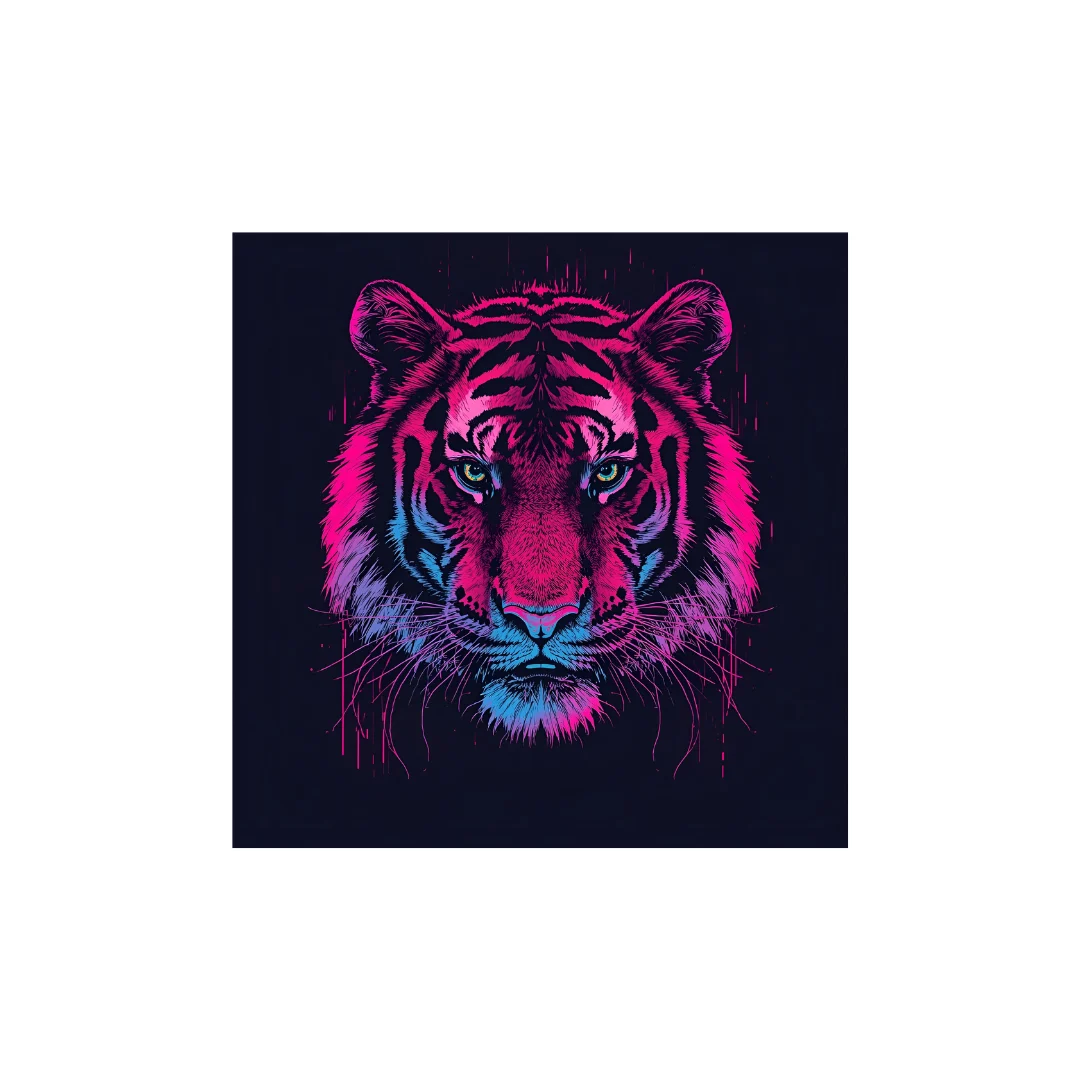
- “Surreal 80s cyberpunk tiger with neon colors for hoodie print” COMMENT: See the image of this tiger made in the Canva link.
- “Graffiti-style inspirational quote with bold 3D letters”
- “Minimalist flower line art in boho color scheme”
Why Use AI for DTF?
- Originality: Avoid licensing headaches—each piece is generated from scratch.
- Speed: Produce dozens of variations in minutes.
- Control: Customize colors, themes, and resolution instantly.
AI-powered design democratizes high-end artwork, empowering even non-designers to create branded-quality designs without hiring a pro.
Legal Considerations: Ensuring Safe Use of Free Designs
The Risk of “Free”
Not all “free” designs are created equal. Using unlicensed artwork can expose your brand to DMCA takedowns, lawsuits, or Etsy bans.
Key Licensing Terms You Must Understand:
- Public Domain: Fully free; use commercially and modify.
- Creative Commons Zero (CC0): Like Public Domain but includes user contributions.
- Creative Commons Attribution (CC BY): Free to use but must credit the creator.
- Non-Commercial Licenses: Use only for personal projects—not for Etsy, Shopify, etc.
Always read the fine print. If the site lacks clear licensing documentation, proceed with caution or avoid entirely.
Protect Your Print Shop
- Save download pages and license info for every file you use
- Choose platforms that vet content (Freepik, Vecteezy, Elephat)
- Don’t use Google Images or Pinterest as sources
- When in doubt, consider creating designs with AI or purchasing extended licenses
Being proactive protects your business and reputation—the cost of a lawsuit is never worth a “free” design.
Tips for Optimizing DTF Designs for Flawless Printing
A great design can still flop if not properly formatted. Here’s how to prepare your files for top-tier print results.
Creating Print-Ready DTF Files
- Resolution: Minimum 300 DPI for crisp detail
- File Formats: PNG for transparency, SVG/AI for vectors
- Backgrounds: Transparent or solid white (depending on garment color)
- Design Edges: Avoid soft fades unless intentional
- Color Mode: Use CMYK or RGB profiles depending on RIP software
Software Recommendations
- Photoshop / Illustrator: Industry standards with full control
- Affinity Designer: Affordable alternative with pro tools
- Photopea: Free browser-based editor (PSD compatible)
- Inkscape: Open-source vector editor, ideal for SVG work
Common Errors to Avoid
- Printing at screen resolution (72 DPI)
- Forgetting to flip/mirror designs for pressing
- Not accounting for heat press pressure (delicate lines may crack)
- Color mismatches from incorrect mode or ICC profiles
Investing time in preparation means fewer wasted transfers, better reviews, and happier customers.
FAQ
Can I sell shirts with free DTF designs?
Yes, but only if the license allows for commercial use. Platforms like Freepik and Vecteezy offer free commercial licenses on select files.
What’s the best format for DTF printing?
Transparent PNG (for raster) or SVG (for vector) are preferred. Always maintain high resolution (300 DPI or more).
How do I convert an image into a DTF design?
Use editing software to:
- Remove backgrounds
- Ensure high contrast
- Set the correct dimensions
- Export in print-ready format
Conclusion:
You no longer need to compromise between quality and budget. With premium-quality, free DTF designs, you can build stunning collections for your apparel business or creative portfolio.
- DTF printing is versatile, affordable, and user-friendly.
- Platforms like Freepik, Elephat, and Vectorency offer a wealth of free, high-resolution design files.
- AI-powered tools give you full creative freedom to design unique art.
- Legal and licensing clarity protects your brand and customers.
- A few smart tweaks can turn a basic design into a show-stopping DTF print.
Start exploring these platforms today. Download a design, customize it with your twist, and press your first masterpiece. The world of mind-blowing DTF designs is just a click away.
Get Flexi(r) DTF Pro from SAi for your design and printing workflow.
Have you ever noticed your computer slowing down and wondered how to give it a quick boost? Many articles and YouTube videos suggest deleting temporary files, but what exactly are these files, and is it really safe to delete them?
What are Temporary Files?
Temporary files, often referred to as temp files, are created by various operating systems and software applications to store temporary data. These files typically have extensions like `.tmp`, `.temp`, but they can also have other extensions, such as `.log`, `.bak`, and more, depending on the application that creates them. Their primary purpose is to act as a buffer or cache, helping specific tasks and programs run more efficiently.
For instance, when using editing software for media, graphics, or text, temp files store work-in-progress data, facilitating smoother performance and quicker recovery in case of unexpected shutdowns.
In a nutshell, temporary files are essential for:
- Performance: They help applications run more smoothly by storing intermediate processing data.
- Recovery: They provide a backup that can be used to restore unsaved work if a program crashes or the system shuts down unexpectedly.
- Caching: They store frequently accessed data temporarily to speed up repetitive tasks.
These files are usually intended to be deleted automatically once their associated task or program is completed. However, the persistence of these files can vary widely depending on the application and its cleanup policies. Some applications may not clean up temp files at all, leading to accumulation over time.
Delete Temporary Files Safely?
To safely delete the temporary file, simply open File Explorer. In the search area, type %tmp% and Windows will locate all temporary files. Select them all and press Delete. Don't worry, it's perfectly safe because Windows will not allow files that are needed to be deleted.
You'll be surprised by the amount of hard drive space you will free up by deleting the temp files, and it will help all of your software programs run more smoothly.

This quick video shows how to build a bleed around a transparent graphic with multiple colors in Adobe Photoshop to import back into Flexi for Print & Cut!
Want to book a training session on Flexi with me? Ask me how!
Did you know that you can apply to become an affiliate and make money selling our eCourses to others? If you are interested, use this link: https://adendo.com/affiliates-2/
Affiliates can make up to 20% commissions if qualified. Once approved, you'll get unique links to our ecourses and if someone purchases you get paid. Promote using your social, webpages, emails etc.
Tell use your go to design software. Multiple choice accepted.
You might want to also tell us WHY you use that design choice and when.
You tell me...
Illustrator - Flexi
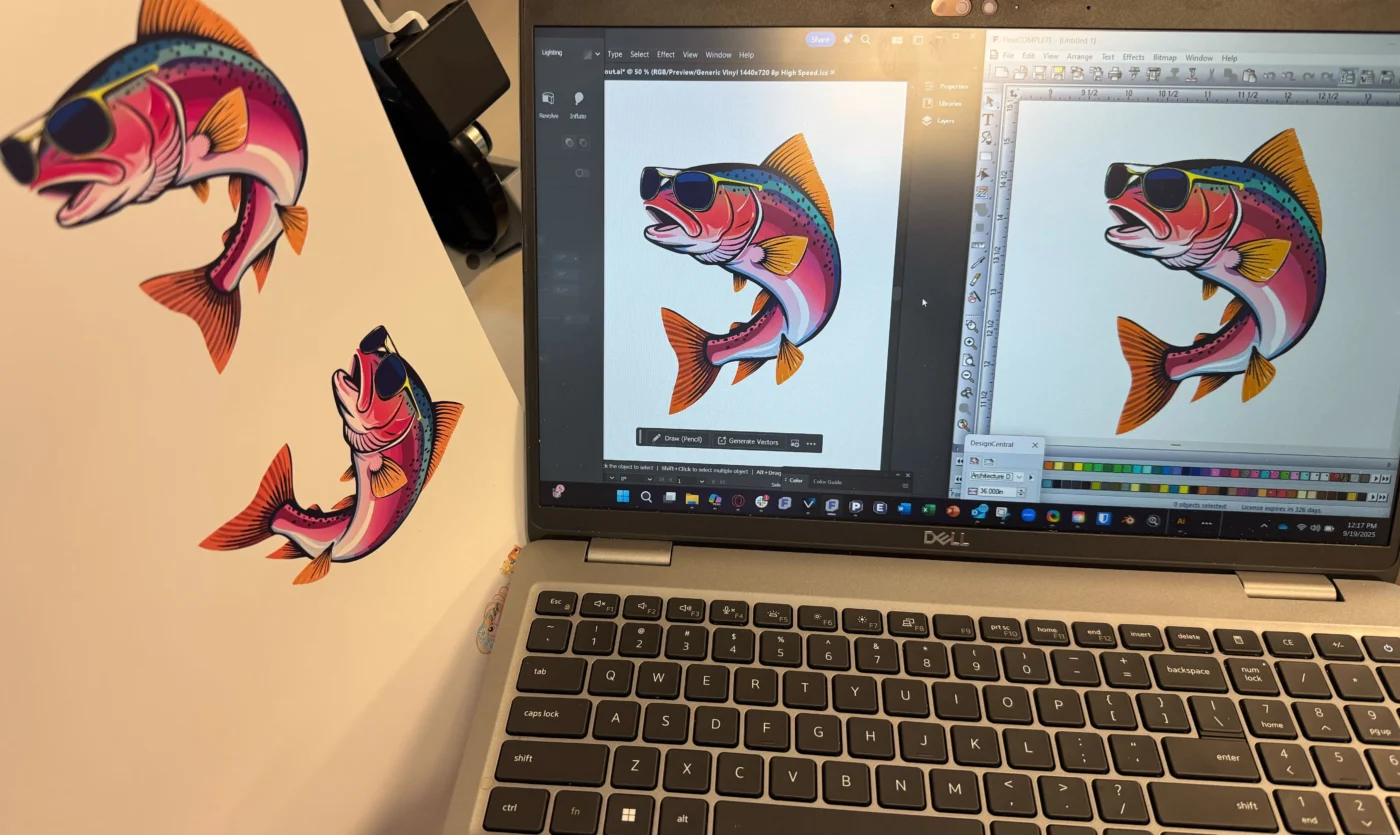
One output with VersaWorks7 one with Flexi Complete's Production Manager, which is which?
If you chose "other" leave a comment on the IOT device that you use!
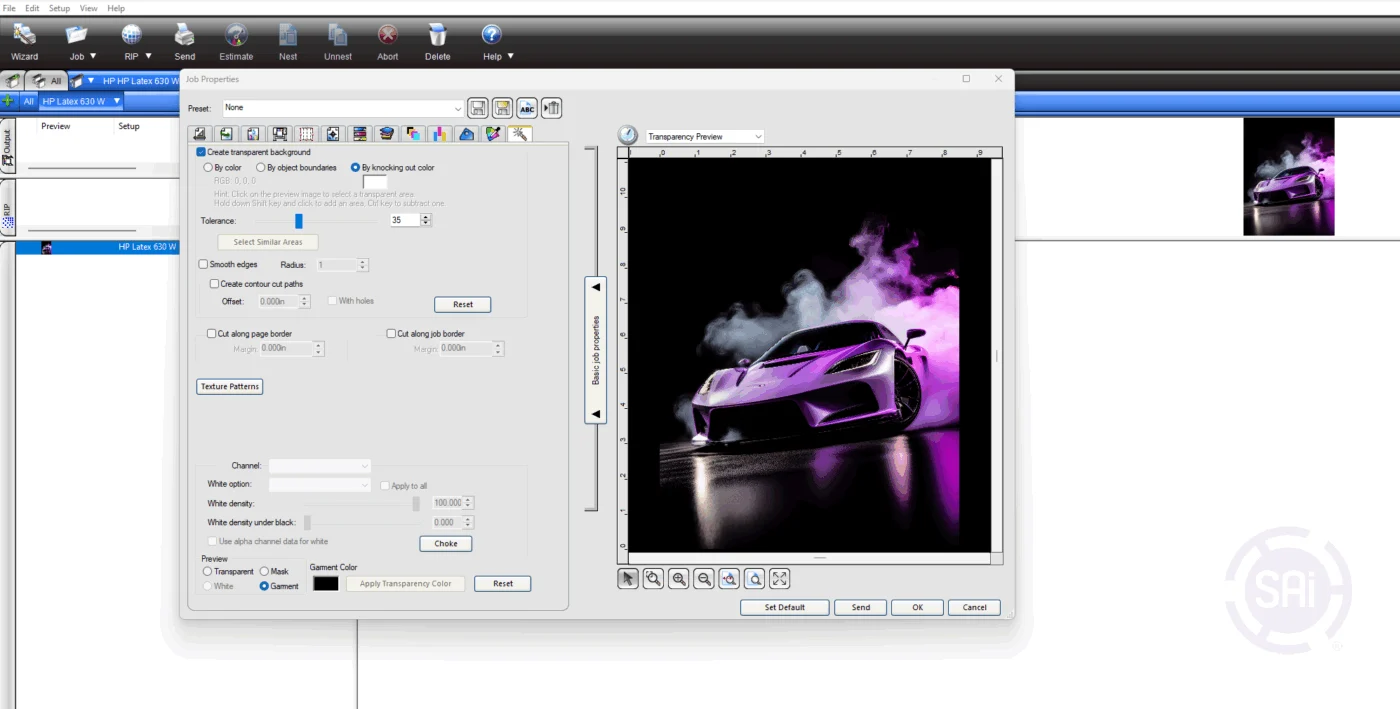
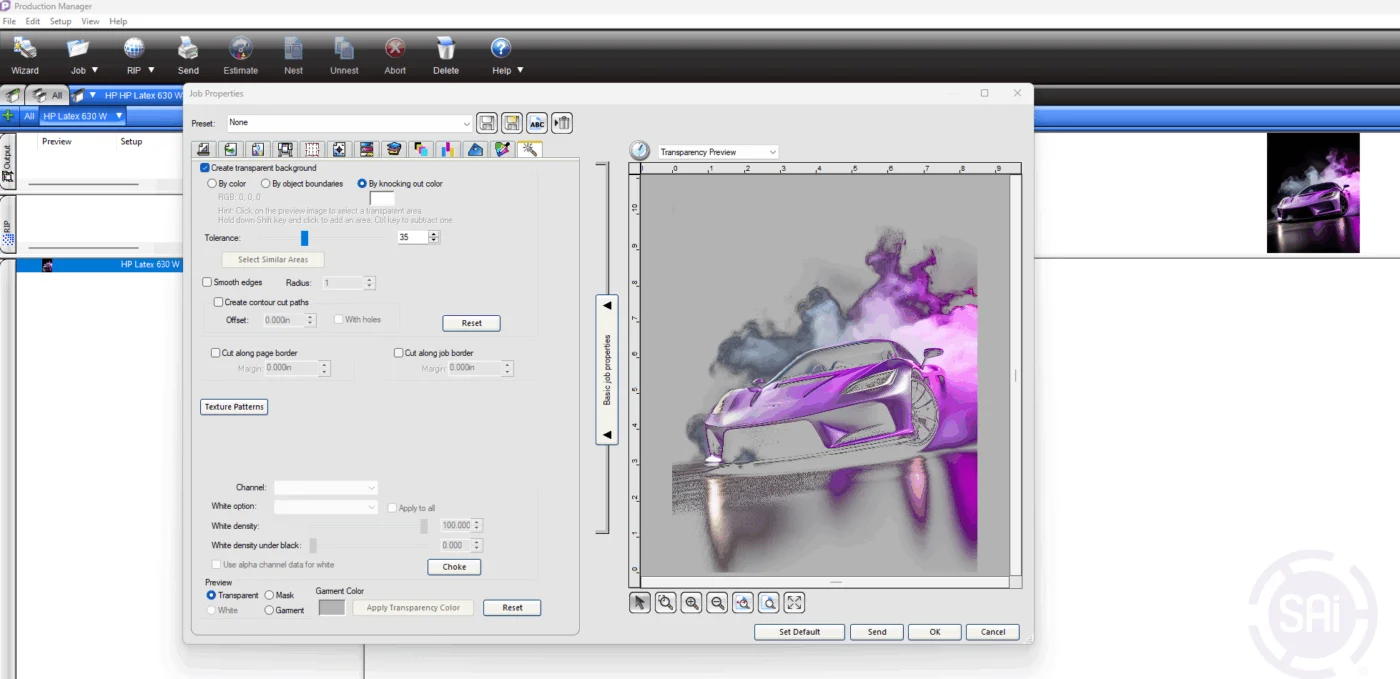
Just knocked out black from this design with a few clicks using Production Managers Color Knockout feature and wow, what a time-saver! 🙌
✅ Removed black effortlessly
✅ Saved on printing costs
✅ Streamlined my workflow
Flexi keeps making it easier to focus on creativity instead of complexity.
If you’re doing DTF and not using Flexi Complete yet… you’re missing out!
On September 10th, we held a live Flexi session at the Roland HQ in Irvine, CA. What a great class! Thank you, Roland, for the venue, the support, and the food! We had university and high school instructors, as well as some new print & cut startup companies and resellers.
We not only taught everyone Flexi essentials, but also VersaWorks essentials, and even had some of Roland's latest printers for some real hands-on printing.
Now tell me, where should we go next for a FULL FLEXI Class? How about Atlanta, or Denver, Chicago, or Orlando, or....well, you tell me!
Our next class will be all Flexi & Color Management!