


Let's Get You Organized & Optimized!

The Problem
You've got a busy shop and over time you don't keep your computer organized and optimized. Slowly you begin to look harder for files, programs and it seems like your hard drive is running out of space fast! It's both a good thing to be busy, but also a bad thing to not keep up and organize and optimize your computer...the life of your shop!
What You Need to Organize
Don't be afraid, we can help you with these great tools!
Organize Your Computer Desktop
Perhaps you keep your jobs in a specific folder ot set of folders, but what about your desktop. Over time you might have numerous program shortcuts on the desktop and in addition, some even keep jobs or folders there, even customer files!
Soon, the desktop can be a mess and hard to find what you're looking for. For many years, I've used a program called Fences from Stardock to organize my desktop. Last I looked I had several hundred icons on the desktop, but with Fences, I can organize them into "fences", kind of like corals where you can separate icons into categories like document, images, program folder etc.

It's easy to use and the free version, while a bit limited on features is still worth the install. The full version will give you even more organizational features.
FENCES: https://www.stardock.com/products/fences/
Find Everything Easily and Quickly
EVERYTHING, yep, that's the name can help you find files quickly no matter where they are on your computer. You simple type the full or partial name and it very quickly scans your entire hard drive and finds the match. Time is saved because it really is the fastest way to find something.
Find images, files, folders well...EVERYTHING!
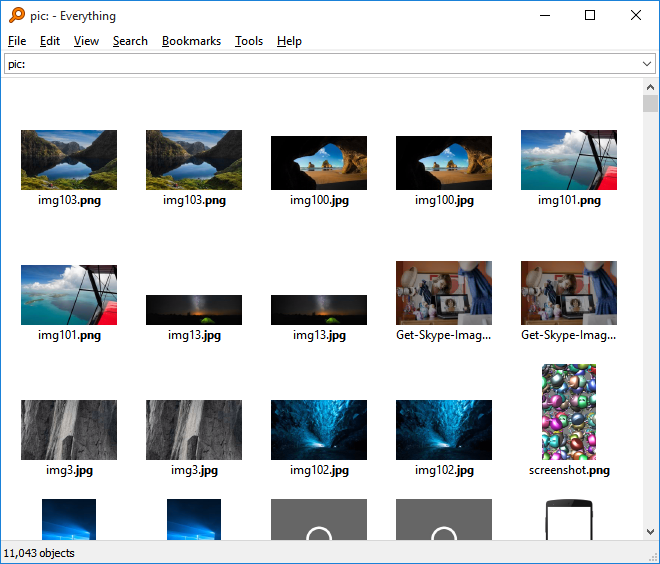
Get EVERYTHING: https://www.voidtools.com/downloads/
The Power of %tmp%
Did you know that temporary files can take up significant amounts of hard drive space? But it is easy to find them and safely delete them.
Open File Explorer and type %tmp%
Windows will find all temporary files. Select them and press delete, don't worry, Windows will not allow files that are needed or protected from being deleted. I do this about once or twice a month and free up several GB of space each time.

GET ORGANIZED NOW!
Would a live virtual training session help you get better workflow? Thousands have said yes! Find out more here!
Training Dates and Location for our LIVE Flexi Road Tour
May 21 - Orlando, FL
May 28, 29 - Salt Lake City, UT
June 16 - Indianapolis, IN
July 9 - Chicago, IL
August 20 - Seattle, WA
September 22 - Las Vegas, NV
October 22 - Kansas City, KS
November 10 - Denver, CO